
Spam is a low-grade annoyance that accumulates into a real problem. Fake signups, bot form submissions, comment floods — none of it takes much time individually, but it adds up. And most anti-spam solutions fix the spam while creating a different problem: annoying your actual visitors with CAPTCHAs.
I’ve been running CleanTalk on my own sites for a while now, and the short version is this: it works quietly, costs almost nothing, and your visitors never know it’s there. Here’s the full picture.
Disclosure: This post contains affiliate links. If you choose to use them, we may earn a small commission at no extra cost to you.→ Try CleanTalk free for 7 days
Table of Contents
Quick Verdict
CleanTalk does exactly what it promises: stops spam without asking your visitors to prove they’re human. No CAPTCHAs, no puzzles, no friction. The filtering runs in the background using a cloud-based database and behavioral analysis — and in practice, it catches nearly everything.
At $12/year for one site, it’s one of the best value tools in this category. The setup takes minutes, the maintenance is essentially zero, and the impact on site performance is negligible. For solopreneurs managing one or more WordPress sites, it’s a straightforward install-and-forget solution.
✅ Pros
- Invisible to real visitors — no CAPTCHA friction
- Works across forms, comments, registrations, and orders
- Compatible with WordPress, Joomla, Drupal, and custom sites
- Very affordable — from $12/year per site
- 7-day free trial, no credit card required
- Lightweight — no impact on page load speed
- Privacy-friendly — no tracking scripts served to visitors
- 24/7 support included in all plans
⚠️ Cons
- Occasional false positives — legitimate submissions sometimes blocked
- Cloud-based only — requires internet connection to function
- Dashboard interface feels a bit dated
- Some advanced filtering settings have a learning curve
What is CleanTalk?
CleanTalk is a cloud-based anti-spam service that filters automated spam activity across your entire website — without using CAPTCHA. Instead of asking visitors to solve a puzzle or click on traffic lights, it works invisibly: every form submission, registration, or comment is checked against a global database of known spam sources before it ever reaches your inbox or database.
The filtering combines several layers: IP reputation, email reputation, behavioral analysis, and real-time checks against a constantly updated spam database. CleanTalk claims 99.97% accuracy, which matches what you see in practice — nearly everything gets caught, and false positives are rare.
It’s not a WordPress-only tool. CleanTalk works across WordPress, Joomla, Drupal, Magento, and custom sites via API. That’s relevant for solopreneurs managing multiple sites across different platforms — one subscription can cover all of them.
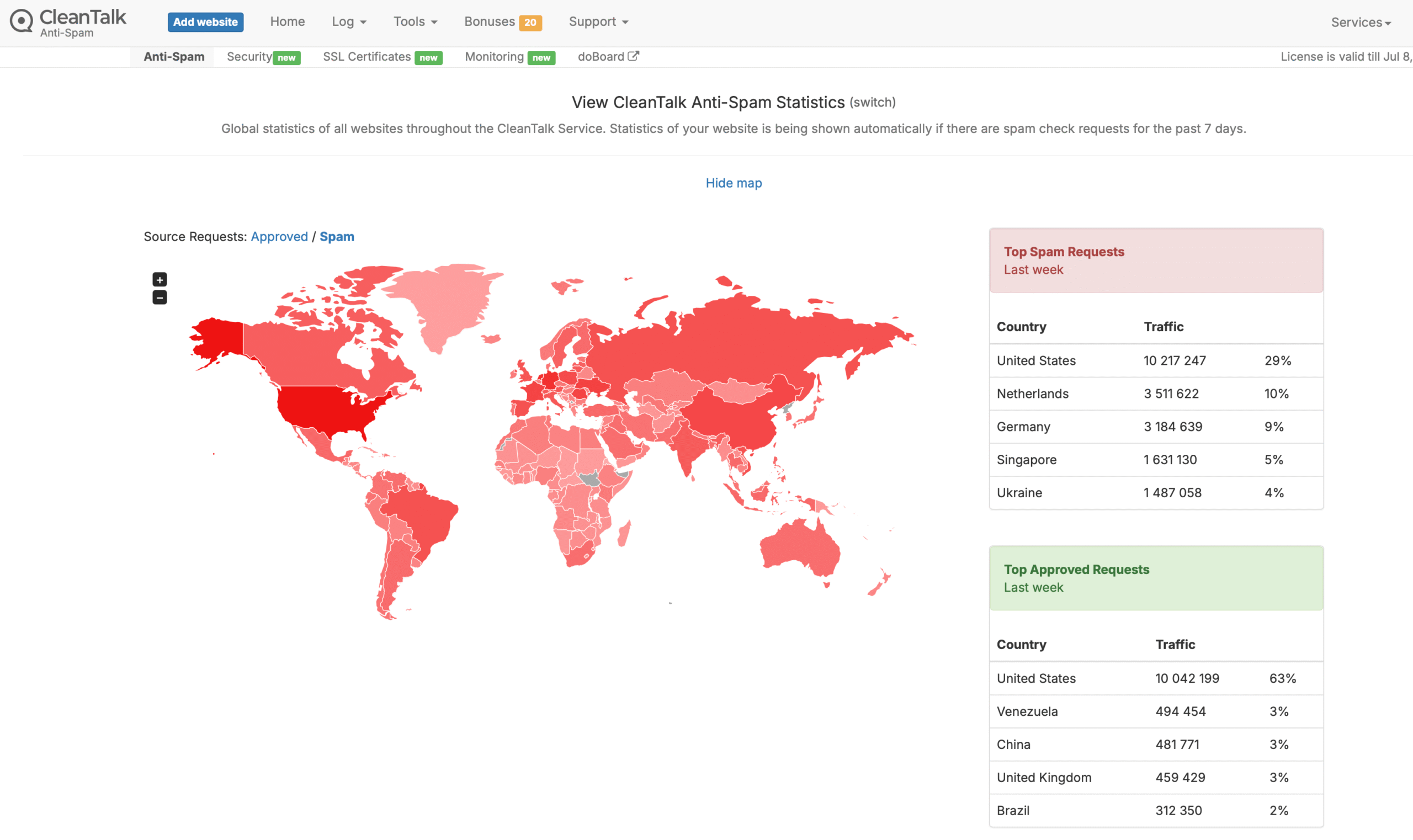
CAPTCHA friction has a real cost. Studies consistently show that CAPTCHA challenges reduce form completion rates — sometimes significantly. For a contact form, a lead generation page, or a comment section, that friction translates directly into fewer interactions from real people. CleanTalk eliminates that trade-off entirely.
Who is CleanTalk for?
CleanTalk is a good fit for anyone managing a website that receives spam — which is essentially every site with a contact form or comment section. More specifically:
- Solopreneurs with WordPress sites who want spam protection that runs without constant attention
- Bloggers dealing with comment spam who don’t want to switch on CAPTCHA and lose real engagement
- Anyone running lead generation forms who needs clean data without fake submissions polluting their CRM
- Sites targeting European users where GDPR compliance and privacy-friendly tools matter
- Multi-site operators — the pricing scales well across multiple domains
👎 Who should probably look elsewhere
- Sites with extremely high-volume or sophisticated bot attacks — CleanTalk handles typical spam well, but very aggressive targeted attacks may need a more robust security stack
- Users who need fully offline or on-premise filtering — CleanTalk is cloud-dependent
- Anyone who needs advanced WAF (Web Application Firewall) features — that’s a different category of tool
Key Features
🛡️ Invisible spam filtering
Every form submission, comment, and registration is checked in real time without any visible challenge. Real visitors experience nothing — spam gets blocked before it lands.
🌐 Multi-platform support
Works across WordPress, Joomla, Drupal, Magento, WooCommerce, and custom sites via API. One subscription can protect multiple sites across different platforms.
📧 Email validation
Checks email addresses at signup in real time, blocking disposable addresses and known spam domains. Keeps your mailing lists and CRM clean from fake registrations.
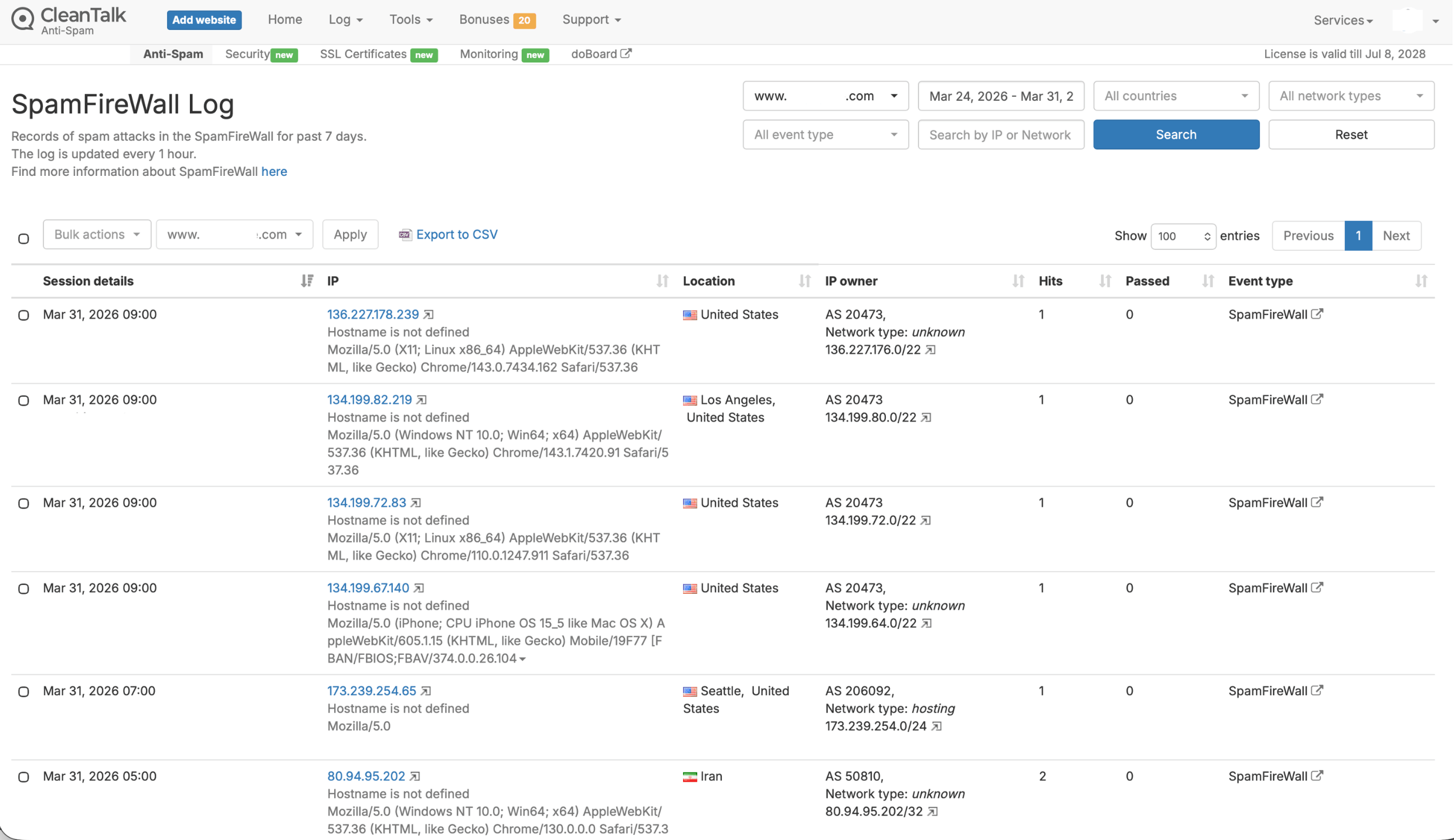
🔥 SpamFireWall
Blocks the most aggressive spam bots before they even reach your site, reducing server load alongside spam volume. Works as a first-line filter upstream of the main anti-spam engine.
📊 Spam logs and analytics
Full activity log with 45 days of history. You can review what was blocked, check for false positives, and monitor spam trends over time from the dashboard.
⚡ Lightweight and fast
No front-end scripts served to visitors — all processing happens server-side via the cloud. No impact on page load speed or Core Web Vitals scores.
Real Use Case: How It Performs in Practice
I’ve been running CleanTalk on my own sites, and the thing that stands out most isn’t any specific feature — it’s how little I think about it. Once it’s set up, it just runs. No alerts to check, no manual moderation queue to clear, no settings to tweak.
The numbers speak for themselves. On one site alone, CleanTalk blocked 149 spam attempts in a single week — zero false approvals, and not a single real visitor interrupted. That kind of quiet effectiveness is exactly what you want from a tool like this.
The setup on WordPress takes about five minutes: install the plugin, enter your API key, done. The plugin covers comments, contact forms (including Contact Form 7, WPForms, Gravity Forms), registrations, and WooCommerce orders automatically — you don’t need to configure each one separately.
The one area to watch is false positives. They’re rare — the 99.97% accuracy claim holds up in practice — but they do happen occasionally. The logs make it easy to check and whitelist a legitimate submission if needed. It’s worth checking the dashboard in the first week or so just to confirm nothing real is getting caught.
CleanTalk is cloud-based, which means it needs an internet connection to function. If CleanTalk’s servers are unreachable for any reason, form submissions may be affected. This is rare, but worth knowing — especially if uptime is critical for your site’s lead generation.
Privacy and GDPR
This is genuinely one of CleanTalk’s strongest selling points, and it’s underappreciated. Google reCAPTCHA — the default choice for most WordPress sites — loads external Google scripts on your pages, which means Google can track your visitors’ behavior. That’s a real GDPR consideration, and one that requires proper consent management to handle correctly.
CleanTalk works differently. The filtering happens server-side: submission data (IP address, email) is checked against CleanTalk’s database without serving tracking scripts to your visitors. Real user data isn’t stored beyond what’s needed for spam classification. For sites targeting European users, or for anyone who wants a cleaner privacy posture, this matters.
CleanTalk is GDPR and CCPA compliant. It’s not a replacement for proper consent management on your site, but it removes one of the more problematic tracking elements that comes with CAPTCHA-based solutions.
Pricing
CleanTalk Pricing — per site, billed annually
All plans include the same features — spam filtering, SpamFireWall, email validation, logs, and 24/7 support. Multi-year billing discounts available (up to 19% off for 3 years).
The prices shown above reflect what was available at the time of writing. Always check the current CleanTalk pricing page before subscribing.
At $12/year — literally $1/month — the single-site plan is hard to argue with. The ROI math is simple: if CleanTalk saves you 30 minutes of spam moderation per month, it pays for itself in the first day of the year. The multi-site plans scale reasonably too, which makes it practical for solopreneurs managing several properties.
The 7-day free trial requires no credit card, which makes it easy to test on a live site before committing.
CleanTalk vs Alternatives
| Tool | No CAPTCHA | Privacy-friendly | Multi-platform | Price |
|---|---|---|---|---|
| CleanTalk This review | ✓ | ✓ | ✓ | From $12/year |
| Google reCAPTCHA | ✗ | ✗ (tracks visitors) | ✓ | Free |
| Akismet | ✓ | Partial | WordPress only | Free (personal) / $10+/mo (commercial) |
| hCaptcha | ✗ | Better than reCAPTCHA | ✓ | Free / paid tiers |
| Cloudflare Turnstile | Mostly | Partial | ✓ | Free |
CleanTalk vs Akismet
Akismet is the default anti-spam solution for most WordPress installs and it works reasonably well for comment spam. The catch is that it’s WordPress-only, and the free plan is limited to personal/non-commercial sites — if you’re running any kind of business site, you need a paid plan starting at $10/month. CleanTalk covers more entry points (forms, registrations, orders) across more platforms, for a fraction of the annual cost.
CleanTalk vs Google reCAPTCHA
reCAPTCHA is free, which is its main advantage. But it comes with two real costs: visitor friction (particularly on mobile, where image challenges are genuinely annoying) and privacy implications from Google’s tracking scripts. For a business site where conversion rates and GDPR compliance matter, those costs are worth weighing. CleanTalk eliminates both.
Final Verdict
CleanTalk is the kind of tool that earns its place quietly. You install it, forget it’s there, and your spam problem disappears. No friction for real visitors, no tracking scripts, no management overhead. At $12/year for a single site, there’s almost no scenario where it doesn’t make financial sense for a solopreneur running a business website.
The limitations are minor. False positives exist but are rare and easy to handle via the logs. The dashboard is functional but not the slickest interface you’ll use. And if you face genuinely sophisticated bot attacks, you’ll need something more robust on top. For the vast majority of solopreneur sites though, CleanTalk is more than enough.
- Ease of use: 9/10
- Spam protection effectiveness: 8.5/10
- Value for money: 9.5/10
- Privacy and UX: 9/10
Any solopreneur running a business website — especially one with contact forms, lead generation pages, or a comment section. The $12/year price makes the decision easy.
Brand new sites with minimal traffic rarely get meaningful spam volume — in that case, Cloudflare Turnstile (free) or Akismet’s free personal tier may be sufficient until the site grows.
Ready to stop spam without annoying your visitors?
7-day free trial — no credit card required. Setup takes about five minutes.
→ Try CleanTalk freeFAQ
Does CleanTalk work with WordPress?
Yes. CleanTalk has a dedicated WordPress plugin that covers comments, registrations, and popular form plugins (Contact Form 7, WPForms, Gravity Forms, and others) automatically. It also works with WooCommerce for order spam protection. Setup takes about five minutes.
Does CleanTalk use CAPTCHA?
No — that’s the whole point. CleanTalk filters spam invisibly in the background, with no challenges or interruptions for real visitors. This is what separates it from reCAPTCHA and other CAPTCHA-based solutions.
Is CleanTalk GDPR compliant?
Yes. Unlike Google reCAPTCHA, CleanTalk doesn’t serve tracking scripts to your visitors. Spam filtering happens server-side, which means visitor data isn’t exposed to third-party tracking. CleanTalk is GDPR and CCPA compliant.
What happens if CleanTalk blocks a legitimate submission?
False positives are rare — CleanTalk claims 99.97% accuracy, which holds up in practice. When they do occur, you can find the blocked submission in the spam logs and whitelist the sender manually. It’s worth checking the dashboard in the first week or two to catch any edge cases.
Can CleanTalk protect multiple websites?
Yes. CleanTalk offers multi-site plans that scale with your portfolio. One subscription can cover several domains, which makes it cost-effective for solopreneurs managing more than one site.
How does CleanTalk compare to Akismet?
Akismet focuses on comment spam for WordPress. CleanTalk covers more entry points — forms, registrations, orders — across more platforms, and costs less annually for commercial use. Akismet’s free tier is limited to personal non-commercial sites; any business site needs a paid plan.
Is there a free trial?
Yes — 7 days free, no credit card required. It’s enough time to install on a live site and see the spam logs in action before deciding.
This article contains affiliate links. We may earn a commission if you purchase through our links, at no extra cost to you. CleanTalk was tested personally by Solo Finds. Opinions are our own.