VoiceDash turns your voice into clean, polished text — in any app, on any platform. But is the free plan actually usable? And how does it stack up against Wispr Flow?
I tested VoiceDash personally on Mac and iOS, using it for real daily tasks: client emails, content drafts, Slack messages, and Notion notes. Here’s my honest take — what works, what doesn’t, and who it’s actually for.
⚡ What does switching to voice dictation actually save you?
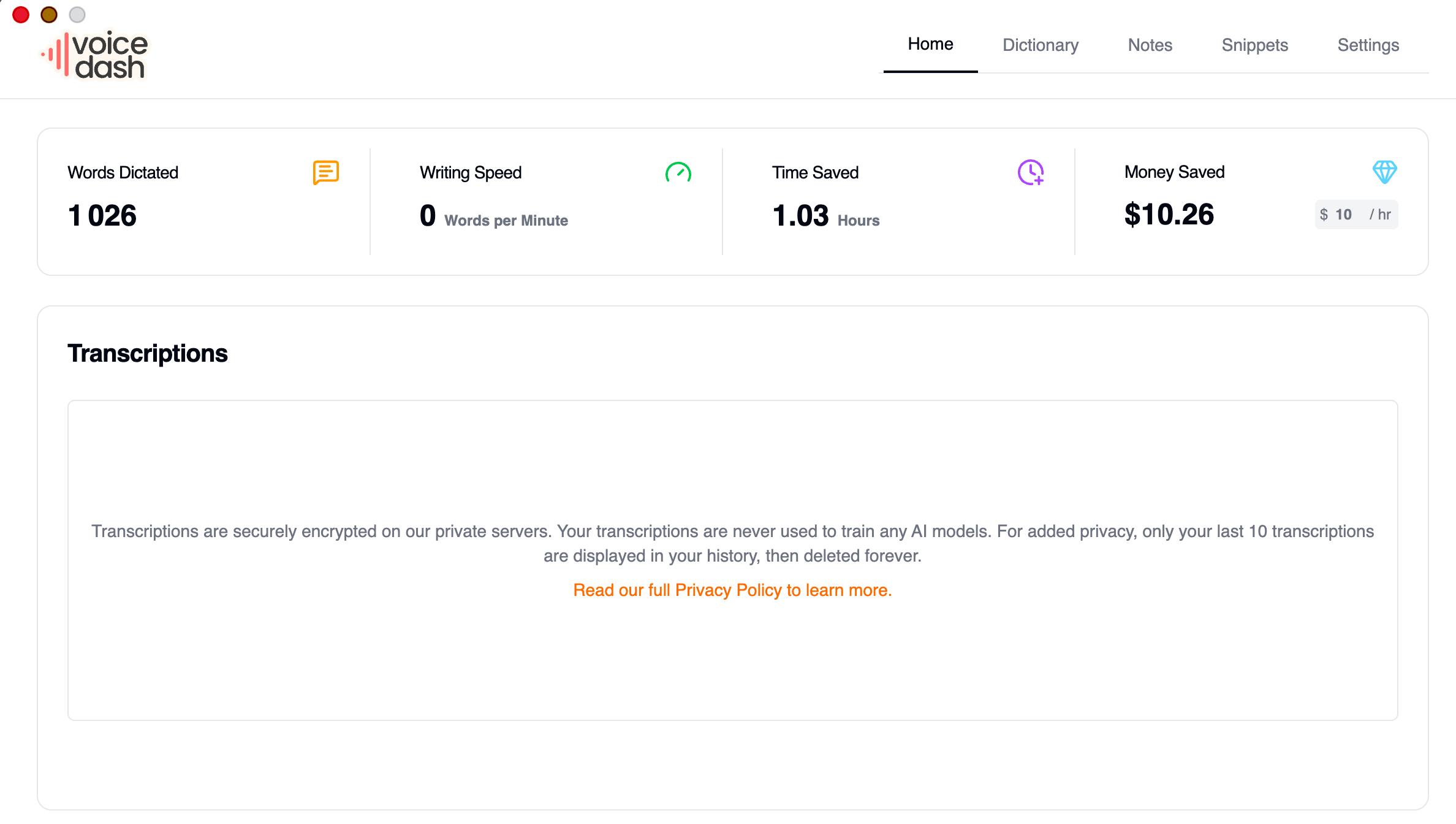
The average professional types around 60–80 words per minute. With AI dictation, you consistently reach 150+ WPM — without losing quality or spending time cleaning up your text.
Table of Contents
Quick Verdict
VoiceDash is a solid AI dictation tool that delivers what it promises: clean, formatted text from your voice, in any app, across Mac, Windows, iOS, and Android. The AI editing layer — built on OpenAI Whisper — handles filler words, punctuation, and sentence structure well enough for daily use.
The free plan is limited (1,000 words/month), but it’s enough to genuinely evaluate the tool before committing. The paid Pro plan at $12/month is competitive. And the snippet system is genuinely useful for solopreneurs with repetitive workflows.
It’s not as polished as Wispr Flow, and it lacks Command Mode. But it’s a capable, privacy-first option at a reasonable price point.
✅ Pros
- Works system-wide on Mac, Windows, iOS, Android
- Strong accuracy via OpenAI Whisper
- Filler word removal in real time
- Snippet library for repeatable workflows
- Privacy-first — no voice data stored
- 50+ languages supported
- Active dev team, fast shipping
⚠️ Cons
- Free plan limited to 1,000 words/month
- No Command Mode (voice text editing)
- Some hotkey conflicts on Windows
- Occasional transcription lag on very short entries
- Less polished UI than Wispr Flow
- Young company — still maturing
What is VoiceDash?
VoiceDash is an AI-powered voice dictation tool that converts your natural speech into clean, formatted text — directly inside whatever app you’re working in. You hold a hotkey, speak naturally, and VoiceDash types for you: with proper punctuation, no filler words, and structured sentences.
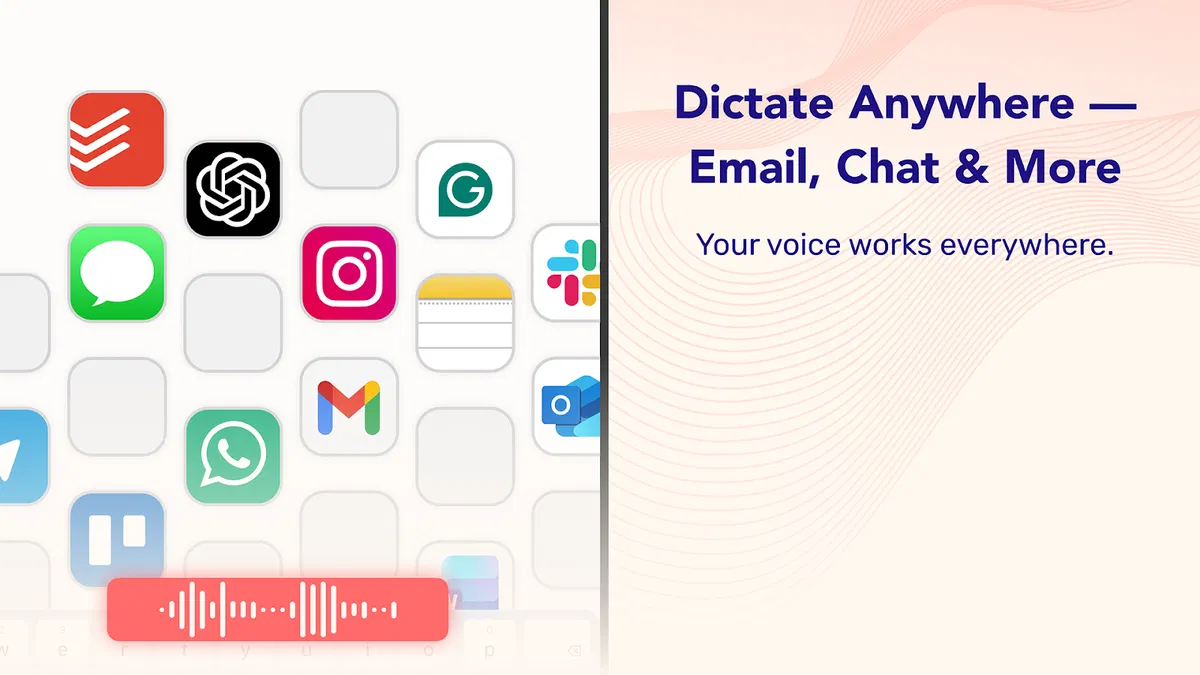
It works system-wide on Mac, Windows, iOS, and Android. That means it’s active in Gmail, Notion, Slack, Chrome, WhatsApp, Word, or any other app — no copy-pasting, no context switching.
Under the hood, VoiceDash uses OpenAI’s Whisper API for transcription (confirmed at iOS onboarding), with an AI editing layer on top that handles the cleanup. All processing is cloud-based, but voice data is not stored or reused — privacy-first by design.
The tool was founded in February 2025 and has been shipping updates quickly, with a growing user base on Mac and Windows. The latest desktop update (v1.0.12) brought significantly reduced latency, edit/delete transcription history, and an expanded custom prompt limit from 1,000 to 3,000 words — giving you much more control over how the AI shapes your output.
VoiceDash sits between the fully polished (and more expensive) tools like Wispr Flow, and the basic built-in options like Apple Dictation. It’s the right choice if you want real AI editing — not just transcription — without paying the premium price. For a full comparison with other free options, see our guide to the best free AI dictation tools for solopreneurs.
Who is VoiceDash for?
VoiceDash is built for people who write a lot and want to stop typing everything. More specifically:
- Solopreneurs and freelancers who produce daily written output — emails, proposals, content, client communication
- Content creators who want to draft faster without losing quality
- Anyone working across multiple platforms — the system-wide approach means it works wherever you are
- Privacy-conscious users who want AI dictation without their voice being stored
- Users on Mac or iOS — where I’ve personally tested it and found the experience most consistent
👎 Who should probably look elsewhere
- Users who need Command Mode (voice-powered text editing) — Wispr Flow is the better fit
- Users who need fully offline dictation — VoiceDash requires internet for AI processing
- Users who only dictate occasionally — the free plan’s 1,000 words/month limit will feel tight
Key Features
🎙️ System-wide dictation
Works in any app on Mac, Windows, iOS, and Android. Hold the hotkey, speak, release — text appears exactly where your cursor is.
✂️ AI filler word removal
Removes “um”, “uh”, “like” and mid-sentence restarts automatically. What lands in the text field is clean, readable prose.
📚 Snippet library
Assign voice triggers to pre-written text blocks. Say “insert my signature” and your full email footer appears instantly. Huge time-saver for repeatable content.
📖 Personal dictionary
Add custom vocabulary — client names, product names, industry jargon. Train it once and it stays consistent across all sessions.
⚡ Custom system prompts
Give the AI detailed instructions about your writing style, tone, or persona. The limit was recently expanded to 3,000 words — enough to define very specific output formats.
🔒 Privacy-first processing
Voice data is not stored or reused. Processing runs via OpenAI Whisper API but nothing is retained after transcription.
The latest desktop update shipped several meaningful improvements worth knowing about:
- Reduced latency — AI responses feel noticeably faster and more immediate
- Edit/delete transcription history — you can now manage past dictation sessions directly in the app
- Custom prompt limit raised to 3,000 words — much more room to define detailed AI personas or brand voices
- Smarter diagnostics — real-time logs and alerts for faster troubleshooting
- Bug fixes — writing speed indicator bug resolved
VoiceDash uses OpenAI’s Whisper API for speech-to-text — confirmed at the iOS onboarding screen. This is the same underlying model used by several other tools in this space. The AI editing layer on top (filler word removal, punctuation, sentence structure) is VoiceDash’s own implementation.
Real Use Case Test: Mac and iOS
I tested VoiceDash across two platforms over several weeks of daily use. Here’s what the time savings actually look like in practice.
On Mac
Setup is straightforward — download, install, grant accessibility permissions, and you’re dictating within minutes. The hotkey activation works reliably across apps: I used it in Gmail, Notion, and Slack without any issues.
Transcription accuracy is solid for everyday language. Technical terms and proper nouns are trickier — you’ll want to add those to your personal dictionary early on. Once trained, it handles them consistently.
The filler word removal works well. Speaking naturally at a normal pace, the output is clean and close to ready-to-send for most use cases. Some light editing is still needed for longer, more complex content.
The snippet library saved me real time once set up. I created triggers for my email sign-off, a standard onboarding message, and a pricing overview. Speaking a trigger phrase and seeing the full paragraph appear instantly is the kind of workflow upgrade that sticks.
📧 Client emails: a 400-word follow-up that used to take 12 minutes takes around 3 minutes with VoiceDash — less editing needed because the AI removes the fillers automatically.
✍️ Content drafts: speaking a first draft out loud is faster than staring at a blank page. You edit faster too, because the raw structure is already there.
💬 Slack and Notion: short updates and task notes that used to pile up get handled in seconds with a hotkey and a spoken sentence.
📋 Repeatable content: snippets make recurring messages (email signatures, pricing summaries, onboarding copy) instant to insert by voice.
On iOS
The iOS experience is good for capture on the go — dictating quick notes, short emails, and voice memos while away from the desk. The app is stable and the accuracy held up well in a quiet environment.
In noisier conditions, accuracy dropped noticeably — this is expected behavior for cloud-based transcription tools and isn’t specific to VoiceDash. A quiet space and a decent microphone make a real difference.
Where it shows its limits
The absence of Command Mode is the most noticeable gap. With Wispr Flow, you can highlight text and speak a command to rewrite it in place — “make this more concise,” “turn this into a bullet list.” VoiceDash doesn’t have an equivalent. You dictate, and if you want to edit, you go back to your keyboard.
The free plan’s 1,000 words/month cap is also genuinely limiting. For a quick evaluation it’s fine, but it runs out fast for daily users — you’ll hit the ceiling in 3–4 days of typical use.
VoiceDash does the core job well. If what you need is fast, clean voice-to-text across your apps with solid filler word removal, it delivers. The gap vs. Wispr Flow is real but mainly matters for power users. For everyday dictation, it’s a capable tool at a fair price.
Pricing
VoiceDash Pricing — no commitment, cancel anytime
3-day free trial of Pro included. No credit card required.
Is the free plan worth it?
The free plan gives you 1,000 words per month — enough for a proper evaluation over a few sessions, but not for daily use. Think of it as a trial tier rather than a usable long-term plan.
The limit is fairly restrictive compared to Wispr Flow (2,000 words/week free) and Willow Voice (2,000 words/week free). That said, the 3-day Pro trial gives you unlimited access to evaluate the full experience before deciding.
Is the Pro plan worth it?
At $12/month billed annually, the Pro plan is priced competitively. It’s the same price as Wispr Flow Pro and Willow Voice Individual — tools that are generally more polished. The honest answer: if your primary priority is features and polish, Wispr Flow is the stronger choice at the same price. If you prefer VoiceDash’s approach or workflow, the price is fair.
The ROI case is clear regardless: if dictation saves you 30 minutes per day (a conservative estimate for daily writers), $12/month is covered within the first working day of the month.
💰 Limited-time deal
VoiceDash is currently available as a lifetime deal on AppSumo starting at $59 — instead of the regular subscription. One-time payment, no recurring fees. AppSumo includes a 60-day money-back guarantee.
→ View the AppSumo dealVoiceDash vs Alternatives
| Tool | Free plan | Paid plan | Platforms | Command Mode | Offline |
|---|---|---|---|---|---|
| VoiceDash This review | 1,000 words/mo | $12/mo annual | Mac, Win, iOS, Android | ✗ | ✗ |
| Wispr Flow | 2,000 words/wk | $12/mo annual | Mac, Win, iOS, Android | ✓ | ✗ |
| Willow Voice | 2,000 words/wk | $12/mo annual | Mac, Win, iOS | ✗ | Optional |
| Apple Dictation | Unlimited | Free | macOS, iOS | ✗ | ✓ |
| MacWhisper | Limited | One-time | Mac | ✗ | ✓ |
📖 Also worth reading
Best Free AI Dictation Tools for Solopreneurs — Tested and Ranked →
VoiceDash vs Wispr Flow
This is the most relevant comparison for most solopreneurs. Both tools are at the same price point, both work system-wide across all major platforms, and both offer solid AI cleanup. The differences come down to depth of features and polish.
Wispr Flow has Command Mode — you can highlight any text and speak a command to rewrite it. VoiceDash doesn’t. Wispr Flow also has a more mature AI model and a slightly smoother overall experience. On the other hand, VoiceDash’s custom prompt system (now up to 3,000 words) gives you granular control over how the AI shapes your output — something Wispr Flow doesn’t offer in the same way.
We’re working on a detailed head-to-head: [VoiceDash vs Wispr Flow — full comparison]. We’ll update this link when it’s live.
VoiceDash vs Willow Voice
Willow Voice and VoiceDash are closer in feature set than either is to Wispr Flow. Both offer solid filler word removal, system-wide dictation, and similar pricing. Key differences: Willow Voice has a more generous free plan (2,000 words/week vs 1,000 words/month), is available on iOS but not Android, and uses a proprietary cloud model rather than OpenAI Whisper. VoiceDash has Android support and a more flexible custom prompt system.
VoiceDash vs Apple Dictation
Apple Dictation is free and unlimited, but it stops after 30 seconds of continuous speech, offers no filler word removal, and has no AI editing layer. VoiceDash fills exactly that gap: you get the same system-wide convenience, but with real AI cleanup and no session limit. The trade-off is the free plan restriction and the need for an internet connection.
Final Verdict
VoiceDash is a genuinely useful AI dictation tool. It does the core job well — clean voice-to-text in any app, across all platforms, with solid filler word removal and a privacy-first architecture. The snippet library and custom system prompts add real workflow value for solopreneurs who take the time to set them up.
It’s not trying to be Wispr Flow. It doesn’t have Command Mode, and the UI is less polished. But at $12/month, it’s a fair price for what you get — and the free plan gives you enough to form a real opinion before committing.
The recent v1.0.12 update shows a team that’s listening and shipping. Reduced latency, transcription history management, and a 3,000-word custom prompt limit are meaningful improvements that make the tool more practical for daily use.
- Ease of use: 8/10
- Transcription accuracy: 7.5/10
- Features: 7/10
- Value for money: 8/10
VoiceDash is the right choice if you want solid AI dictation across Mac, Windows, iOS, and Android at a competitive price — and you don’t need Command Mode. It’s especially well-suited to solopreneurs who do a lot of repetitive writing and can benefit from the snippet system.
If Command Mode (voice text editing) is important to you, or if you want the most polished AI dictation experience available, Wispr Flow is the stronger option at the same price point. See our full dictation tools comparison for context.
Ready to try VoiceDash?
Start with the free plan — 1,000 words/month, no credit card. The 3-day Pro trial gives you full access to evaluate before deciding.
→ Try VoiceDash freeFAQ
Is VoiceDash free?
Yes. VoiceDash has a free plan that includes 1,000 words per month, basic voice-to-text, and access on Mac and Windows. It also includes a 3-day free trial of the Pro plan — no credit card required. The free plan is enough to evaluate the tool, but most daily users will hit the limit quickly.
What platforms does VoiceDash support?
VoiceDash works on Mac, Windows, iOS, and Android. All four platforms are supported on the Pro plan. The free plan covers Mac and Windows only.
What transcription engine does VoiceDash use?
VoiceDash uses OpenAI’s Whisper API for speech-to-text — confirmed at the iOS app onboarding. The AI editing layer (filler word removal, punctuation, sentence structure) is VoiceDash’s own implementation on top of the transcription output.
Does VoiceDash store my voice data?
No. VoiceDash uses a privacy-first approach: your voice data is not stored or reused after transcription. Processing happens via OpenAI’s Whisper API but nothing is retained.
Does VoiceDash work offline?
No. VoiceDash requires an internet connection for AI processing. It’s a cloud-based tool. If offline dictation is a hard requirement, alternatives like MacWhisper or Apple Dictation are better options.
How does VoiceDash compare to Wispr Flow?
Both tools are at the same price point ($12/month annual) and work system-wide across all major platforms. The key difference: Wispr Flow has Command Mode (voice-powered text editing) and a more mature AI model. VoiceDash has a more flexible custom prompt system (up to 3,000 words) and is generally slightly less polished. For a detailed comparison, see our [VoiceDash vs Wispr Flow comparison].
Is VoiceDash worth it?
For solopreneurs who write daily, yes. The time savings from AI dictation — even conservative estimates of 30 minutes per day — make $12/month a clear ROI-positive investment. The free plan lets you verify this for yourself before spending anything.
What’s new in the latest VoiceDash update?
Version 1.0.12 (April 2026) brought reduced latency, the ability to edit and delete transcription history, an expanded custom prompt limit from 1,000 to 3,000 words, smarter diagnostic tools, and a fix for the writing speed indicator bug. Available now for Mac (Intel and Silicon) and Windows.